
How to Set Up a Charging Station for Your Devices at Home
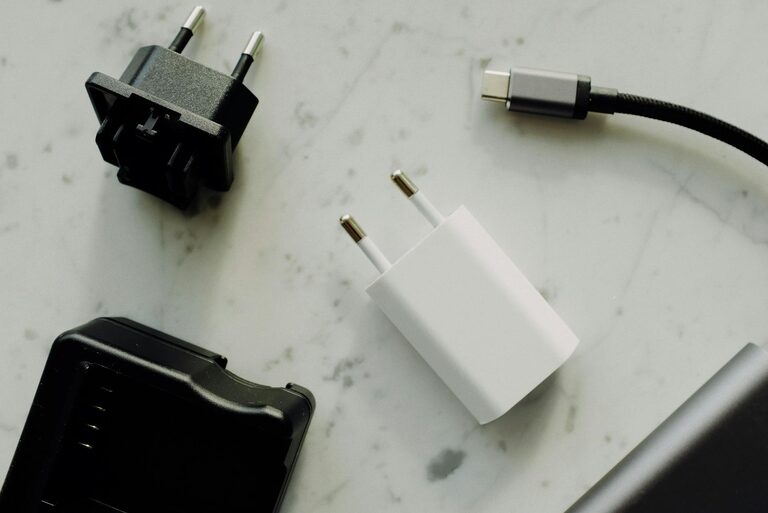
Setting up a dedicated charging station for your devices can simplify your daily routine and reduce clutter. Whether you have smartphones, tablets, earbuds, or smartwatches, a well-organized charging space keeps everything accessible and ready to use. In this guide, we’ll walk you through the essentials of creating a functional and attractive charging station at home.
Why Create a Charging Station?
With so many gadgets in use today, cables and chargers can quickly become tangled and misplaced. A charging station:
– Keeps devices in one place
– Reduces the risk of lost or damaged chargers
– Enhances organization and tidiness
– Saves time by making devices easy to find and power up
Now, let’s explore how to design your own charging station.
Choose the Right Location
The first step is finding a convenient and safe spot for the charging station. Consider these tips:
– Central Location: Place it in a common area like the living room, kitchen nook, or your home office.
– Accessible Power Outlet: Ensure there’s easy access to an electrical outlet for multiple chargers.
– Avoid Moisture and Heat: Keep devices away from sinks, windows, or heat sources to protect them.
– Stable Surface: A sturdy desk, shelf, or table works best for organizing all components.
Gather Your Equipment
To create an efficient charging station, you’ll need a few items. Here’s a basic list:
– Multi-Port USB Charger: Choose a charger with multiple USB ports to power several devices simultaneously.
– Charging Cables: Collect all necessary cables for your devices—Lightning, USB-C, Micro-USB, etc.
– Power Strip (Optional): Use a power strip with surge protection if extra outlets are needed.
– Organizer Container or Dock: Use a tray, box, or specialized charging dock to keep devices upright and cables neat.
– Cable Clips or Ties: These help prevent tangled wires.
– Labels (Optional): Label cables or ports to quickly identify the right charger.
Step-by-Step Setup Guide
1. Declutter and Sort Your Devices
Begin by gathering all the devices and chargers you intend to include. Remove any unnecessary or broken cables. Sort devices according to usage frequency or charging needs.
2. Position the Charging Station Base
Place your chosen container, tray, or dock on the surface you selected. Make sure it fits comfortably and leaves room for your devices and chargers.
3. Connect the Power Source
Plug in your multi-port USB charger or power strip. If using a power strip, switch it on and check whether the charger powers up.
4. Arrange Devices and Cables
Place each device on the charging dock or designated spot. Then, connect their cables to the charger and device. Use cable clips, ties, or adhesive holders to keep the cables organized and prevent tangling.
5. Optimize Cable Length
Keep cables neat by using shorter cables when possible or by coiling longer cables and securing them with ties. This keeps the station looking clean and avoids excess cable mess.
6. Label Cables or Ports (Optional)
If multiple devices use similar cables, labeling with simple stickers or tape can save confusion in identifying cables or charging ports.
Tips for Maintaining Your Charging Station
To keep your charging station functional and attractive over time:
– Regularly check cables for wear and replace damaged ones.
– Periodically clean the station to remove dust and debris.
– Adjust the layout if you add or remove devices.
– Encourage family members or roommates to use the station to centralize charging needs.
Additional Ideas and Accessories
Depending on your space and style, here are some popular options to customize your charging station:
– Wireless Charging Pads: Combine wired and wireless chargers to accommodate devices compatible with wireless charging.
– Drawer or Cabinet Station: If you prefer a hidden look, transform a drawer or cabinet into a charging station with ports inside.
– Decorative Boxes or Wooden Docks: Enhance the visual appeal with sleek or rustic accessories.
– Smart Charging Stations: Consider smart hubs with USB-C Power Delivery and fast charging features.
Benefits of a Dedicated Charging Station
Creating a charging station isn’t just about organization — it helps extend your devices’ life by:
– Preventing overcharging (with smart chargers)
– Reducing cable damage and wear
– Minimizing power surge risks (when using surge protectors)
Plus, it can save you time by having all your devices charged and ready in a single spot.
Conclusion
Setting up a charging station at home is a simple project that brings convenience and order to your everyday life. By choosing the right location, gathering necessary equipment, and following the setup steps, you’ll enjoy a tidy space where your devices charge efficiently. Whether you’re a tech enthusiast or just looking to reduce clutter, a charging station is a smart solution you’ll appreciate daily.
Try these ideas today and experience the ease of a well-designed charging area!